
Digital Experience
Website Revamp Studio
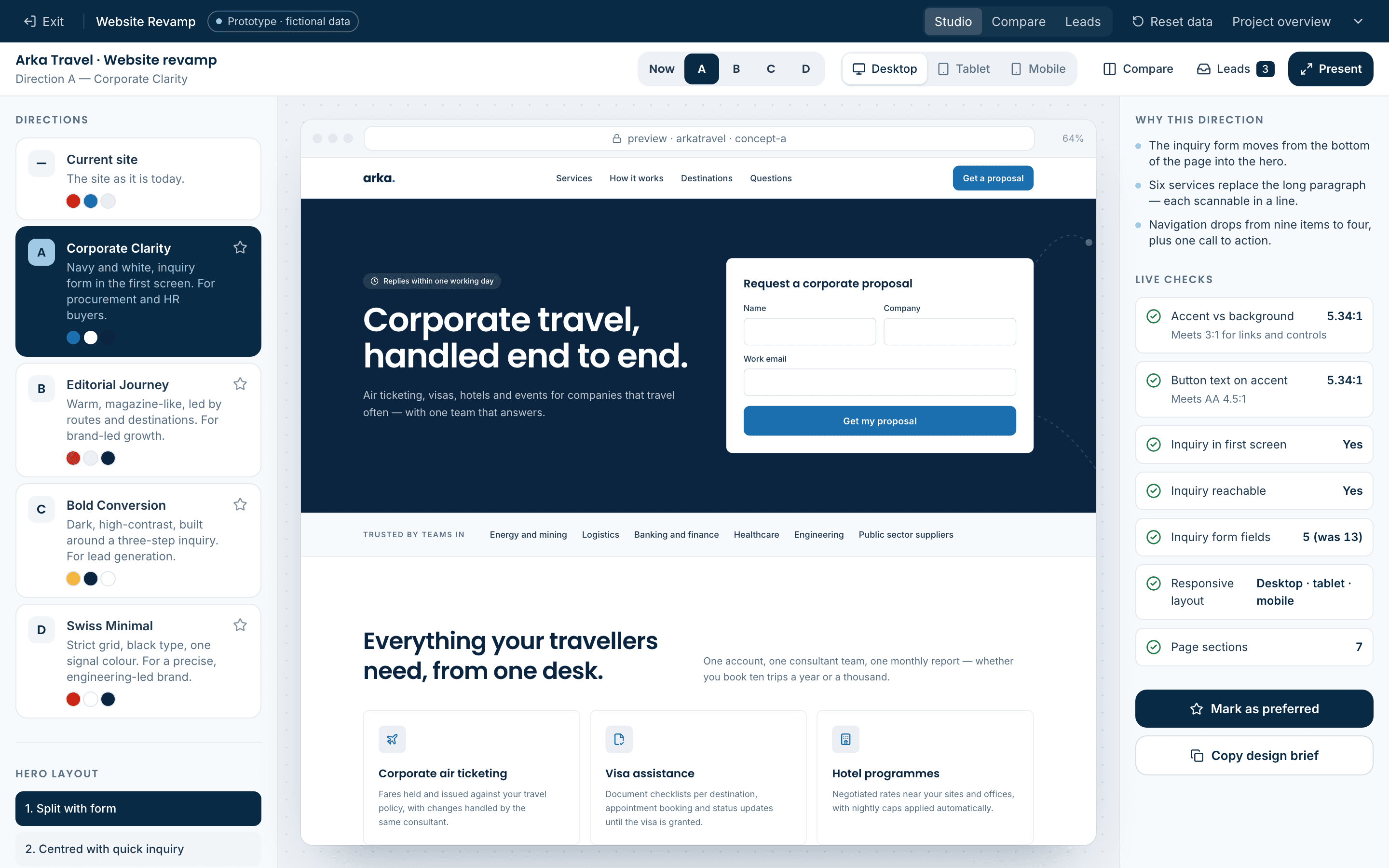
A working studio for website revamps. A fictional travel company’s current site sits next to four complete redesign directions. Change the hero, colour, typeface, spacing and section order live; compare any two directions; and see every inquiry the new forms capture.
- Status
- Interactive prototype
- Updated
- October 2026
- Data
- Fictional, browser-only
- Built by
- Nityo Infotech Indonesia
The short version
Watch the workflow before you open it.
Recorded from the running prototype — every screen in the film is one you can click through yourself.
01 · The problem
Websites that look tired and lose the inquiries they do get.
Many corporate service websites were built a decade ago: fixed-width layouts that break on phones, nine-item menus, a long paragraph about the company, and an inquiry form with a dozen fields at the very bottom.
Redesign conversations then stall on static mock-ups. Stakeholders cannot see how a direction behaves on mobile, how far a colour can be pushed, or what happens when someone actually submits the form.
02 · Use cases
When a client needs to choose, not imagine
Use it whenever a redesign decision is stuck between static mock-ups and opinions — the client tries real, working options instead.
- 01Agency pitch for a website redesign
- Who
- A digital agency or IT partner pitching a rebuild.
- The situation
- The prospect has seen static mock-ups from three agencies and can’t tell them apart.
- What changes
- They click through four live directions on desktop and phone, change colours and fonts themselves, and pick a favourite in the meeting.
- 02Aligning stakeholders inside a company
- Who
- Marketing, sales and leadership who each want a different site.
- The situation
- Feedback rounds on PDFs drag on for weeks because nobody sees the same thing.
- What changes
- Everyone compares the same live options side by side, and the conversation moves from taste to what brings in enquiries.
- 03Lead-generation sites for B2B services
- Who
- Service companies whose website exists to get enquiries.
- The situation
- The current site hides the enquiry form and nobody knows where leads come from.
- What changes
- Each direction puts the enquiry first, live checks flag accessibility problems, and every enquiry is logged with its source.
- 04Design-system decisions before a build
- Who
- Product teams about to commit to colours, type and layout.
- The situation
- Choices are made in a design tool and only tested once the site is built.
- What changes
- Accent, typeface, spacing and section order are tried on the real page, on every device, before a line of production code.
Fits
- Corporate and B2B websites
- Agencies and in-house marketing teams
- Rebrands and replatforming projects
- Landing pages for campaigns
Extends to
- A/B testing the chosen direction
- Multi-language versions
- A content management workflow
- Analytics on what visitors do
A production build connects to
- A headless CMS
- The CRM for incoming enquiries
- Marketing analytics
- Hosting with previews per change
03 · Proposed approach
Show complete, working directions — and let the room shape them.
The studio renders four genuinely different redesigns of the same content, each a real responsive page rather than a picture. Stakeholders switch between them, change the hero, accent, typeface, radius, spacing and section order, and see the result on desktop, tablet and mobile at once.
Every direction includes a working inquiry form that issues a reference and names a contact — the conversion improvement from the capability deck — and every submission lands in a leads view tagged with the direction it came from.
04 · Four directions
Different answers to the same brief
- A · Corporate Clarity
- Navy and white, inquiry form in the first screen, six scannable services. For procurement and HR buyers.
- B · Editorial Journey
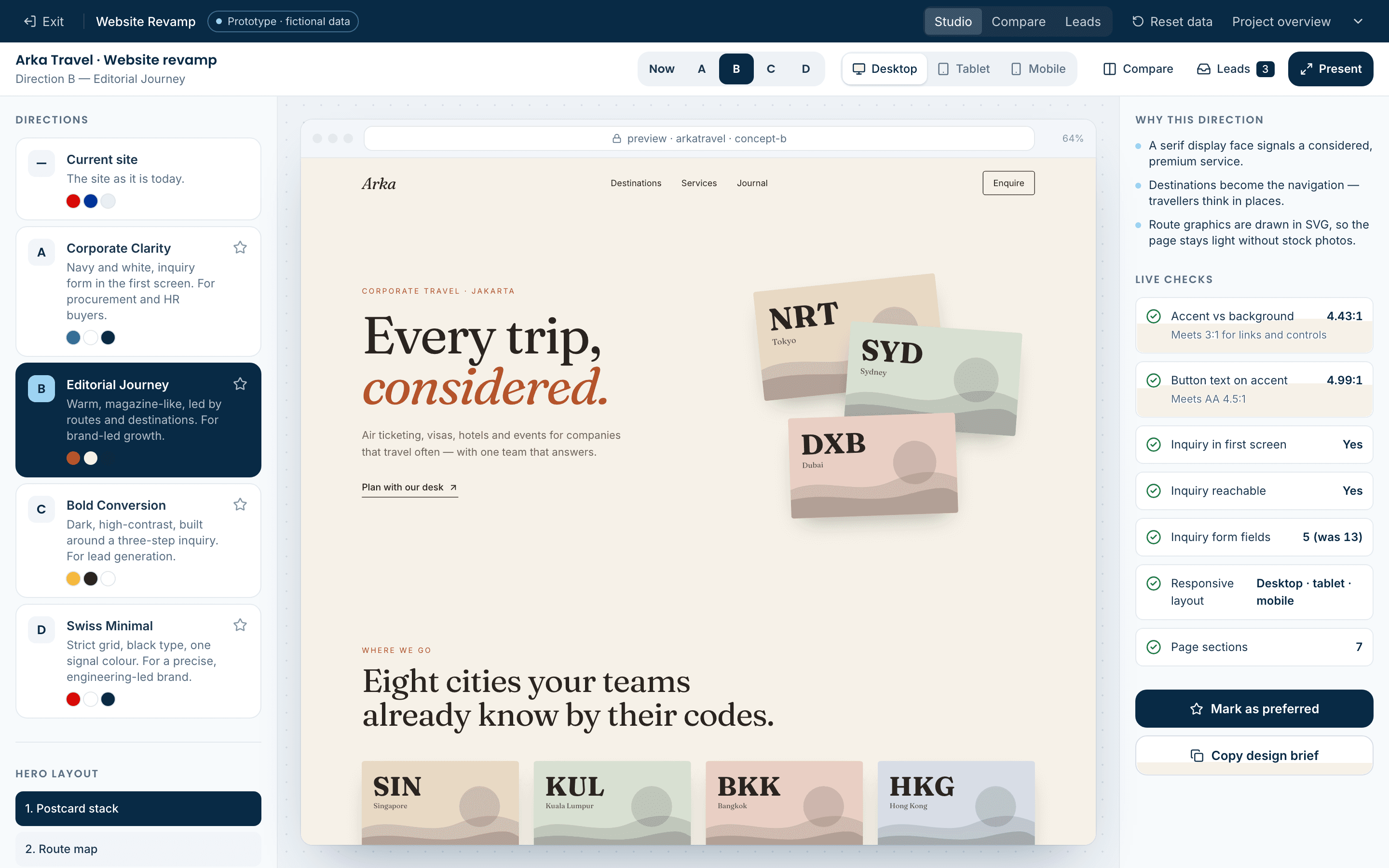
- Warm, serif-led and destination-first, with drawn postcards and route maps instead of stock photos.
- C · Bold Conversion
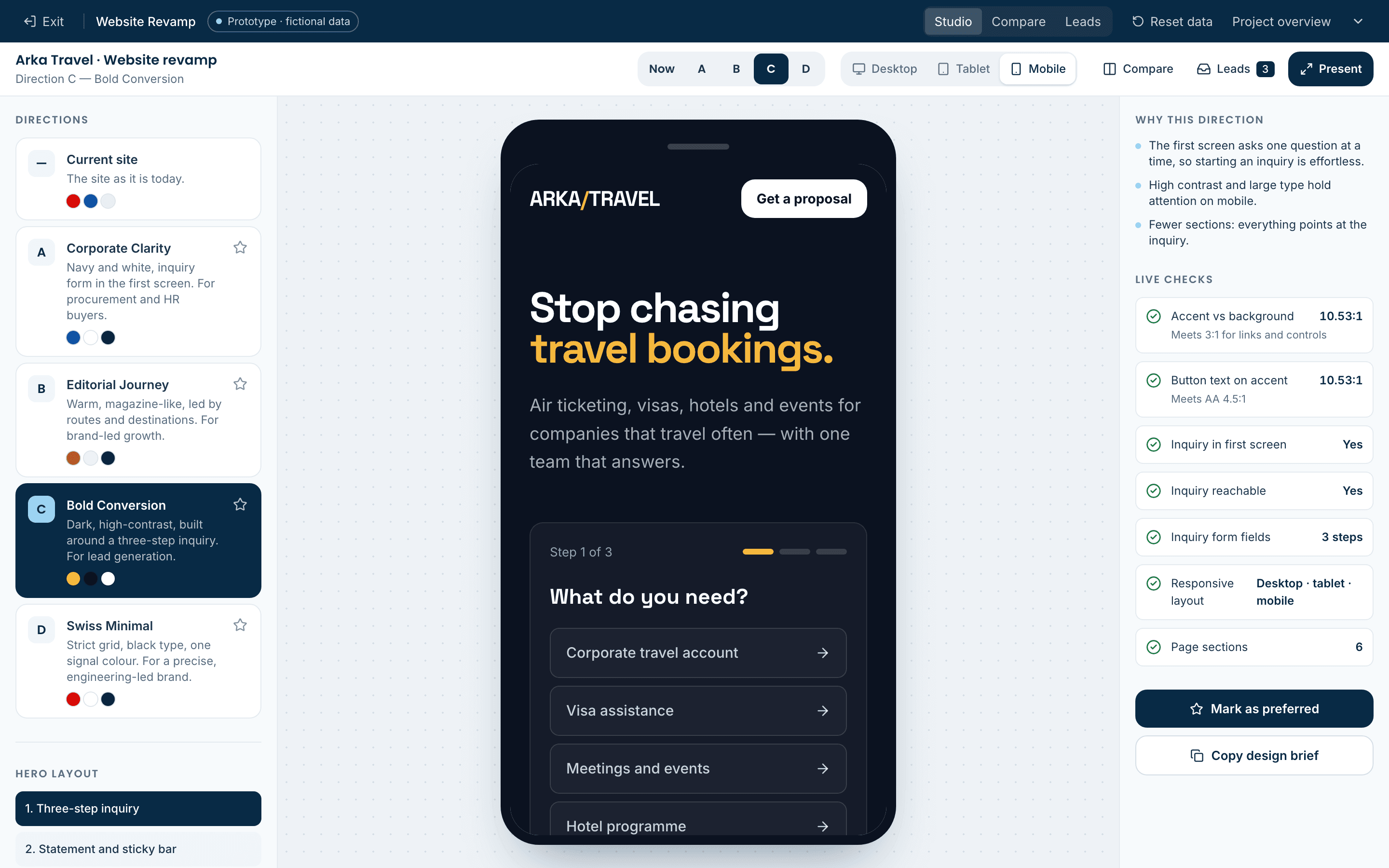
- Dark and high-contrast, built around a three-step inquiry that asks one question at a time.
- D · Swiss Minimal
- A strict 12-column grid, numbered sections and a single signal colour for everything clickable.
05 · Interface previews
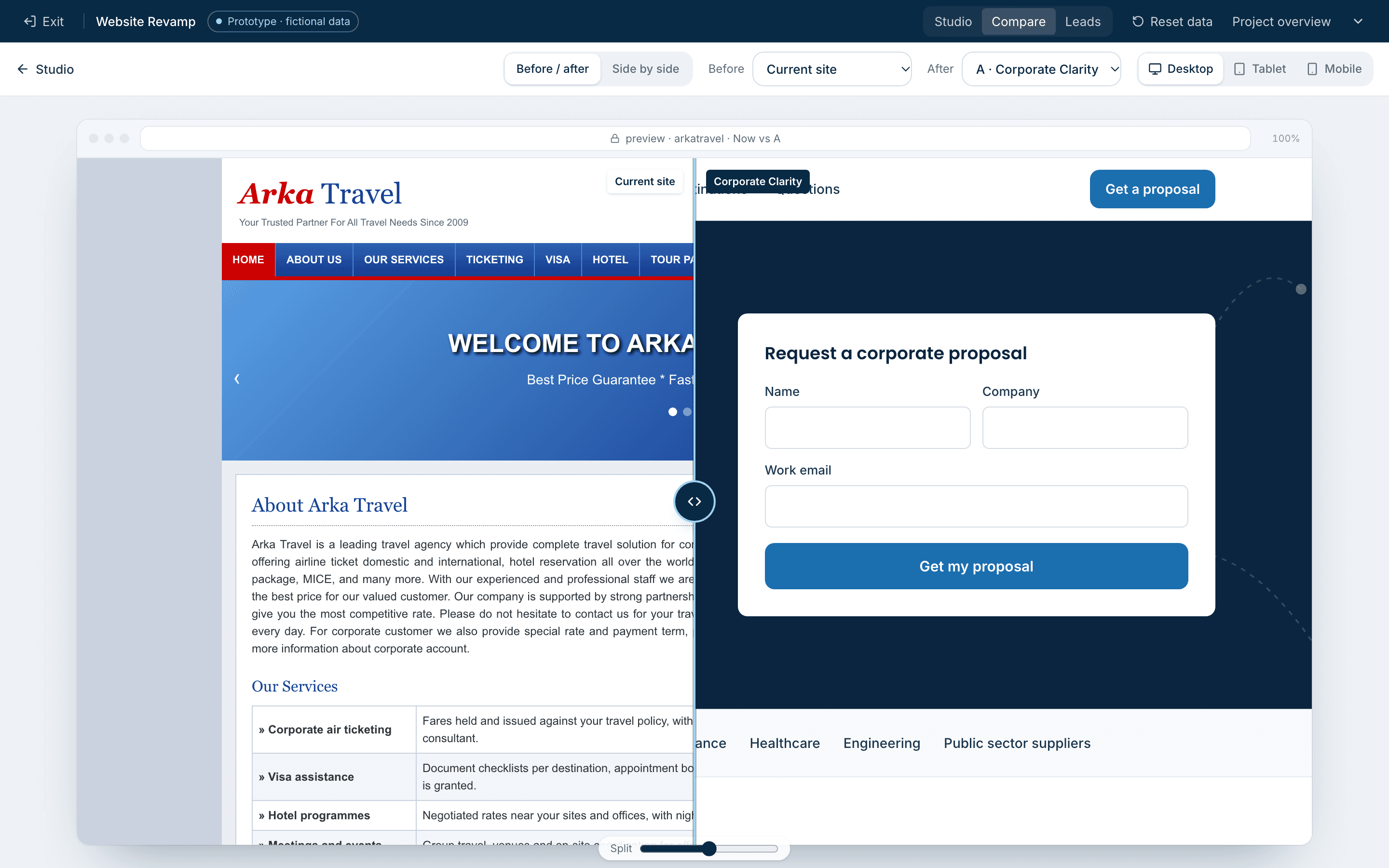
Captured from the running studio
06 · Simulated versus live
What the studio simulates, and what a build would connect
| Capability | In the concept demo | In a production build |
|---|---|---|
| Website content | Fictional company and copy | Your content, migrated and rewritten |
| Inquiry routing | Stored in this browser | Qontak and the operations queue |
| Source tracking | Tagged by direction | Campaign and channel attribution |
| Content editing | Studio controls only | A CMS your team edits |
| Analytics | Counts from demo submissions | Funnel reporting from live traffic |
07 · Prototype limitations
What this demonstration is — and is not
- Arka Travel and every person and company in the leads view are fictional.
- Directions are design explorations; production work starts from your brand guidelines and content.
- Studio settings and inquiries are stored in this browser only and are not sent anywhere.
- Contrast checks cover the accent colour; a full accessibility audit is part of a real build.
Try it
Open it and walk through the workflow.
- 1Open the studio on “Now” and switch to Mobile — the current site breaks.
- 2Step through directions A to D, then change the hero layout and accent colour.
- 3Watch the contrast checks react; hide or reorder a section.
- 4Submit an inquiry inside a redesign and find its reference under Leads.
- 5Press Present for a clean, full-screen walkthrough with keys 1–5.